

Top 10 website design trends 2026 UK Businesses
Explore the top 10 website design trends shaping UK businesses in 2026, from AI-driven personalization to conversion-focused UX.
Stay competitive with modern, high-performing websites built for engagement, SEO growth, and better conversions.
- 4.9/5 (200+ reviews) & 800+ satisfied clients across UK & Europe
- Shopify & WordPress Partners
Ready to Boost Your Online Presence?
Website Design trends change a lot every year. In 2026 and UK businesses need to keep up. Not just for style points, but also because a website affects sales, leads, and credibility. Some trends are small, some are big. Some will help users stay longer, some will make the site easier to manage. Here’s what’s actually happening in UK website design in 2026.
Website design trends 2026 UK
1. Simple and Clean Layouts
In the New Era website design trends 2026 UK Websites are going back to basics. Big empty spaces, less clutter. People get confused if pages are too busy. UK businesses are using simpler designs so customers find what they need quickly. Simple doesn’t mean boring. Just cleaner and easier to use.
Why Simple and Minimum Design Works?
- Help Improve User Attention: Minimum design improves user focus by removing unnecessary elements from website, which helps to catch direct attention to key content
- Faster Loading Time: Minimum design & clean layout help faster loading time for the website.
- Better User Experience in all devices: Simplified & responsive design adjusts to all devices for better user experience.
Key Design Elements of Minimalist Website Design
- Generous white space: Instead of crowding everything together like a crowded noticeboard, leave generous of empty space between sections to improve readability and making this less crowded and boring for visitors.
- Limited colour palettes: To maintain visual consistency, prefer to use of limited 2-3 primary colours.
- Clear Visual Hierarchy: Show first that important for users, by making it bigger, bolder, or darker.
- Purposeful Imagery: Every visual (Images, Icons, Graphics) of the website should be meaningful and should have a reason to be there. No Unnecessary visuals should be use.
2. Dark Mode Options
Dark mode is becoming necessity. Most of the users prefer this because it’s easier on the eyes. Others like it for style. UK sites are adding toggle switches so users can pick dark or light mode. Not every site needs it, but it’s becoming expected for modern brands.
Benefits of Dark Mode
- Reduced eye strain: Dark Mode benefit for users browsing in low light
- Visually Pleasing: Dark Mode Websites provide a sense of premium quality service.
- More Readability: Users with light sensitivities will have more accessible and better readable websites.
Implementation Best Practices:
- Manual toggle: Provide easy switching option for dark & light mode access
- Consistent branding: Ensure logo and branding elements work in both dark and light mode
- Contrast ratios: Maintain WCAG accessibility standards in both themes
According to popular surveys, 82% of users prefer website that offer dark mode options, making this a competitive advantage for UK businesses especially targeting tech-savvy demographics.
3. Mobile-First Design
Everyone is on mobile. Desktop is still used, but mobile traffic is bigger. In 2026 it’s now essential to take mobile first approach. This means fast loading website, touch-friendly buttons, and appropriate text-size that’s easy to read on a small mobile screen. If your site isn’t mobile-ready then users leave quickly
Benefits of Dark Mode
- Touch-optimised interfaces: Every Button and links size should be appropriately for finger navigation (minimum of 44×44 pixels)
- Responsive Layouts: Fluid grids that adapt and adjustable across all screen sizes
- Streamlined navigation: Simplified menus that work on smaller screens
- Fast loading: Optimise website for quick load for mobile network conditions
Implementation Best Practices:
- Manual toggle: Provide easy switching option for dark & light mode access
- Consistent branding: Ensure logo and branding elements work in both dark and light mode
- Contrast ratios: Maintain WCAG accessibility standards in both themes
According to popular surveys, 82% of users prefer website that offer dark mode options, making this a competitive advantage for UK businesses especially targeting tech-savvy demographics.
4. Small Animations and Interactions
Little animations make a difference. Hover effects, moving buttons, smooth scroll. They guide users without being distracting. UK businesses are adding them to make the site feel alive. Just subtle improvements that make navigation easier.
Effective Uses of Micro-Animations
- Hover effects: use of hover effect improve users interaction with buttons or links
- Loading indicators: Keep users informed during transitions and page load
- Scroll-triggered animations: Reveal content progressively as users explore
- Form validation: Real-time feedback on input fields
- Call-to-action emphasis: Gentle movement draws attention to key actions.
Best Practices for Animations
- Keep it subtle: Animations should enhance viewability, not distract
- Reduce animations to meet performance: Avoid large, heavy animations that will slow down page load times
- Protect user choice: Respect “prefers-reduced-motion” accessibility settings
- Serve a purpose: Every animation should improve usability or communication
Studies indicate that websites utilizing micro-animations strategically experience an increase in user engagement by 20% and conversion rates by 15% in comparison to websites that use static animations.
5. Personalised Content
Some websites now show personalised content to each user. This can be based on location, browsing history, or previous purchases. UK businesses using this can give people exactly what they’re interested in. It helps with engagement and sales.
Personalisation type
- Content based on location: Relevant content based on the user’s specific location
- Behaviour targeting: Services or products based on the user’s search history
- Returning user recognition: Ability to remember past searches and preferences
- Personalised recommendations: Services or products based on the user’s specific location
- Dynamic content: Ability to change and edit message based on user’s specific demographics
Personalisation and Privacy
The UK and EU’s data privacy and protection legislation mandates that personalization comply with the following principles
- Transparency: Clear Communication of consent and data use
- Consent: Personalisation features must have user consent
- User control: Allow users to opt-out
- Security: Personalisation features must include strong data protection
Businesses that have adopted user experience personalization have seen sales increase by 19%, and customer satisfaction scores increase by 25%.
6. Integration of Voice Navigation
Voice search is slowly growing. Users can say commands instead of typing. In 2026, some UK sites are adding simple voice navigation. Not all need it, but it helps accessibility and shows the brand is modern.
Benefits of Voice Navigation
- More Convenience: Users with restricted movements or visual impairments will benefit a lot from the improved accessibility.
- More ease: The hands-free searching and browsing feature will come in handy especially to those who are performing several tasks at once.
- Positive Brand Image: Implementing voice navigation showcases your brand as technology savvy.
- Less Competition: Voice navigation is still very uncommon which means you’ll have the first mover advantage.
Things to Consider when Implementing Voice Navigation
- Support for Natural Language: Design for queries that are conversational and not just a series of keywords.
- Simple Voice Commands: Actions that can be carried out via voice command should be clear and easy to find.
- Traditional Navigation: Voice Navigation should always be a secondary means of navigation.
- Support for Multiple Languages: Voice navigation should be considerate of the multicultural and multilingual diversity in the UK.
Although voice navigation integration is not a necessity for all businesses, the following will find it most useful:
- E-commerce businesses with a large number of products.
- Websites that have a lot of content, for example, news websites or blogs.
- Websites of businesses that provide services and target the elderly or disabled.
- Websites of brands that aim to be leaders in technology.
7. Importance of Accessibility
Websites must work for everyone, including people with visual or motor impairments. 14.1 million people in the UK have disabilities, and many UK companies have implemented accessible features like navigable keyboard, readable fonts, color contrast, and screen-reader support. Accessibility should be considered a fundamental requirement of a website.
Core accessibility principles (POUR)
- Perceivable: Information needs to be accessible to all users.
- Operable: Accessibility for analysis of interface elements to all users.
- Understandable: Clarity in information and processes of operation.
- Robust: Information must work with all current and future technologies.
Major Aspects of Accessibility
- Good color contrast: The contrast is required for normal and large size fonts to be 4.5:1 and 3:1 respectively.
- Keyboard accessibility: All functionalities of a site must be accessible by users without the use of a mouse.
- Alternatives text: All images that convey meaning must have descriptive alt texts.
- Screen readers: This requires the proper usage of semantic HTML and ARIA labels
- Captions and transcripts: All audio and video recordings should have transcripts and captions.
- Text size: Site features must be usable by the user, even if the text size is zoomed to 200%.
- Error messages: Users must be provided sufficient instructions concerning form validation.
Legal Limitation
- 2010 Equality Act: Adjustments have to be made for the disability of the users.
- 2018 Public Sector Bodies Accessibility Regulations: All provided activities must be obligatory.
- Potential discrimination lawsuits: Non-accessible websites can be sued.
Aside from the legal limitations, the optimisation of the websites for accessibility additionally widens the audience, boosts SEO as search engines favour accessible websites, and improves the overall user experience for all users.
8. Microcopy and Short, Concise Text content
Small and concise text content on buttons, forms, or labels is getting more attention. Clear instructions reduce confusion. UK businesses are also telling their story in small, readable chunks instead of long paragraphs. People skim. They don’t read everything.
What is Microcopy?
Microcopy is:
- Button text: “Get started” versus “Sign up now”
- Form field errors: Helpful hints that guide users.
- Error messages: Technical terms minus direction.
- Empty state messages: Text that pleases users in the absence of information.
- Loading messages: Text that engages while users wait.
- Confirmation messages: Feedback that is reassuring to users after an action.
Writing Effective Microcopy
- Be conversational: Write as you would speak.
- Stay concise: Each word should add value and be useful.
- Clarify: Ambiguities should be removed.
- Show personality: Express the characteristics of your brand.
- Anticipate: Proactively tackle likely objections.
Content Formatting for Scanners
The fact that 79% of users scan and rather than read should lead you to
- Use precise headings: Clear descriptions for H2s and H3s that separate the meat of your writing
- Short paragraphs: 2-4 sentences is a maximum.
- Bullet points: Key information should be displayed.
- Bold Text: Highlighted Important Information and Key points
- Use white space: Give the reader space to rest their eyes.
Research shows that microcopy alone can improve the conversion rates by 14-17%.
9. Fast Loading and Performance
Speed is a critical and important ranking factor and a determinant of user experience. If a page takes too long, visitors leave. 2026 sites use compressed images, simple code, and lazy loading to make sure pages open fast. It’s better for users and search engines too.
What are Google’s Core Web Vitals?
- LCP: Largest Contentful Paint (Importance of Accessibility)
- FID: First Input Delay (Is the site interactive? < 100ms)
- CLS: Cumulative Layout Shift (Is the site layout visually stable? < 0.1)
How to optimise speed:
Image Quality
- Use modern file types (e.g WebP and AVIF)
- use the srcset attribute
- Implement lazy load for images below the fold
- Keep the visual quality to keep file size to a minimum
Code Optimisation
- Minified CSS, Java, and HTML.
- Remove unnecessary plugins and code.
- Place critical CSS in-line in the HTML.
- Non-critical Javascript to be loaded after the content is on the page
Server and Infrastructure Configuration
- Implement a Content Delivery Network (CDN).
- Use the HTTP/2 or HTTP/3 protocols.
- Browser caching.
- Provide good hosting with fast reply times
Database and Content Management Systems
- Keep the database clean and optimised
- Optimise Post Revisions
- Implement Object Caching
- Optimise WordPress or CMS settings
Speed Impact on Business Metrics
- 1 second delay = 7% loss in conversions
- 3 second load time = 53% mobile users drop
1/10 second = 8% increase in conversions for retail sites Monitoring and improving performance can be done using tools like Google PageSpeed Insights, GTmetrix, WebPageTest, etc.
10. Bold Fonts and Typography
Fonts are more noticeable. Big headings, readable text, and sometimes quirky fonts for branding. UK businesses are experimenting but keeping it readable. Typography can make a simple page look interesting without pictures.
Trends in Typography: 2026
- Over-Sized Headlines: Hero text that captures focus
- Variable Fonts: Multiple styles in a single font file
- Font Pairing: Contrast using serif and sans-serif
- Kinetic Typography: Animations that create the illusion of movement in text
- Custom Brand Fonts: Typeface that companies can use to distinguish themselves
Best Practices in Typography
Readability:
- The Size of the Body text should be 16px as that is the most comfortable size to read
- The best legibility is with line height 1.5 to 1.6
- The ideal line length is 50 to 75 characters.
- For sufficient contrast, use dark text on a light background or vice versa
Hierarchy and Structure
- Each page should have 1 h1 and h1 should be between 32 and 48px
- H2 should be 24 to 32px; these are the headings of the sections
- H3 are the headings of the subsections and are 20 to 24px
- The Body text should be between 16 and 18px
- Small text should be 14px at a minimum
To ensure performance, only use the weight and style fonts that are absolutely necessary
- Fonts should be used when loading times are an issue
- To avoid invisible text, the font display must be set to “swap”
- Only the necessary characters should be included in the subset of a font
Brand Consistency
- Represents the character of the brand
- Is consistent across all pages
- Is usable on all Devices and in all situations
- Complies with accessibility guidelines
Typography that works is readable, comprehensible, and makes the content shareable and memorable
How UK Businesses Can Use These Trends
You do not have to use all of these at once. Pick which ones are most relevant to your business. Some examples include:
Start with mobile-friendly design
Add small animations if it helps navigation
Consider dark mode if your audience likes it
Improve site speed
Consider site accessibility
Small changes can enhance user experience and increase sales.
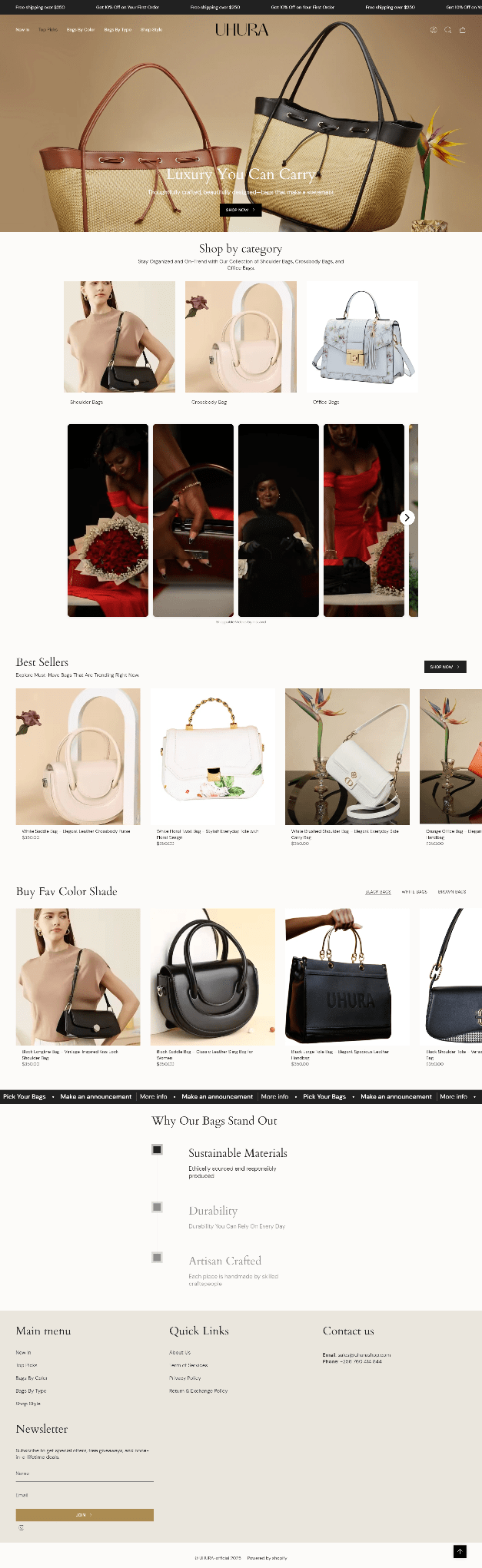
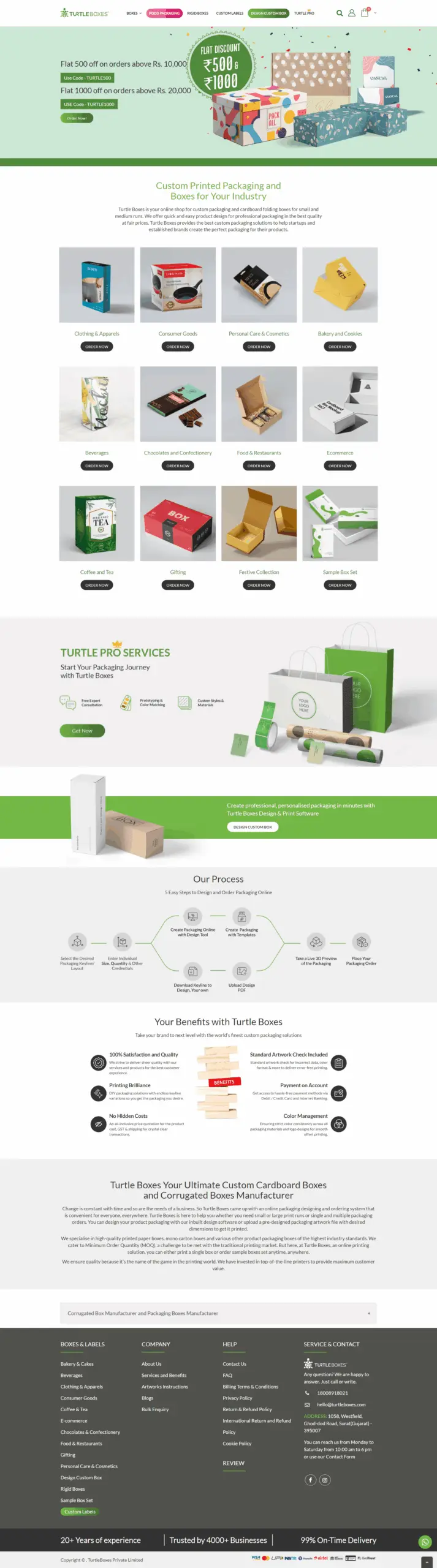
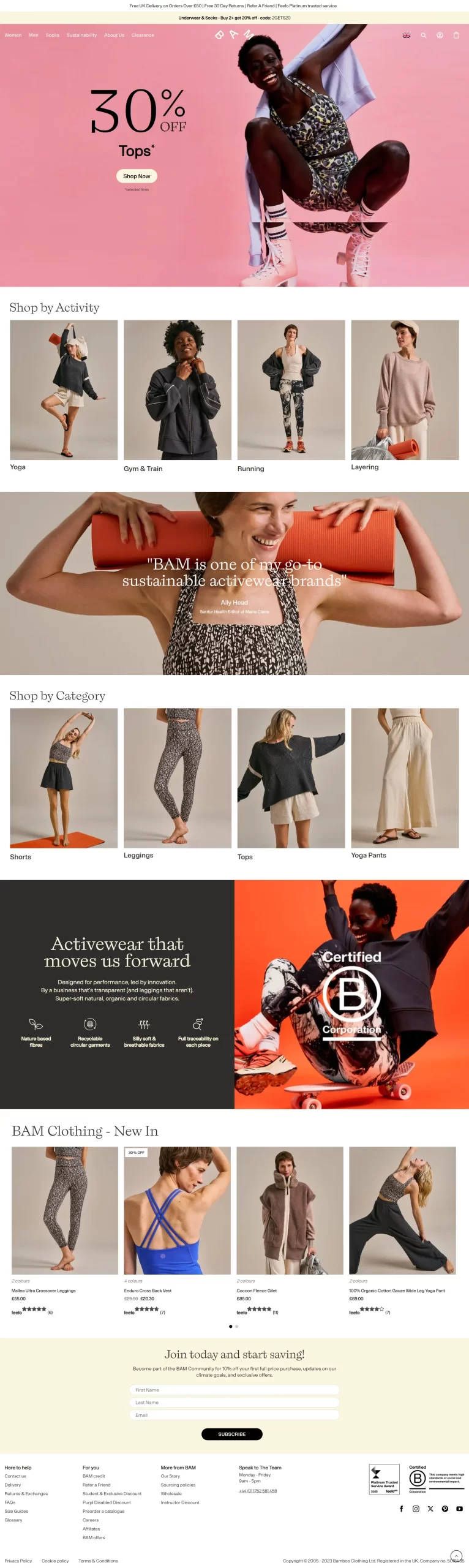
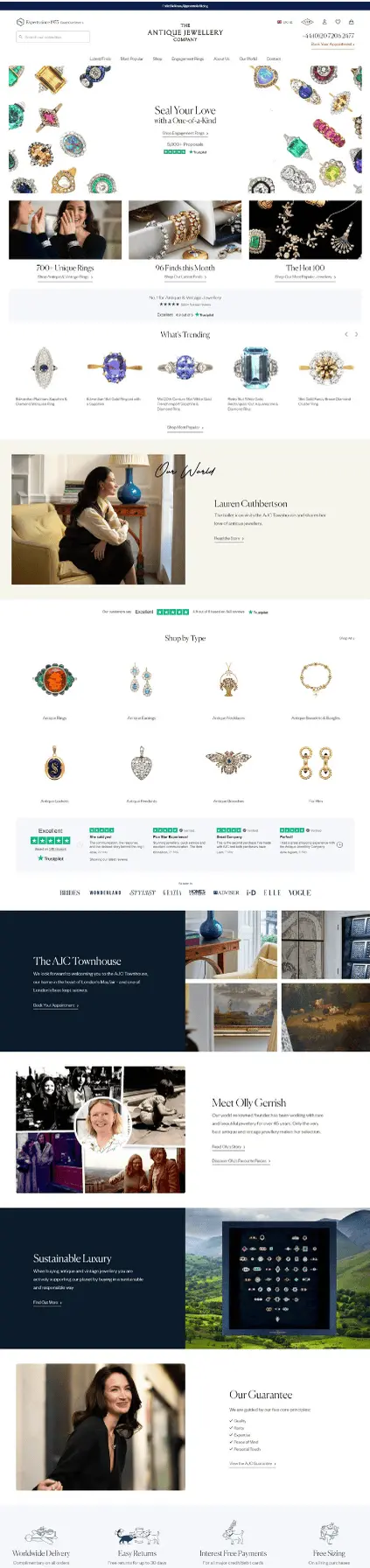
Our Portfolio




Frequently Asked Questions (FAQs)
Which trends are most important for small UK businesses?
The most impactful trends for small UK businesses are simple website layouts, mobile-first website designs and website speed improvements.
Do all websites need dark mode?
No dark mode isn’t necessarily a requirement. But, from a user experience standpoint, some users may prefer dark mode. A dark mode implementation may even modernize the website.
How important is accessibility in 2026?
Accessibility by 2026 will still remain important. A website is accessible if users with disabilities can also use it. This increases the usability of the website and enhances the overall brand image of the business.
Can small animations help conversions?
Yes, small animations can improve conversions. Users can be guided by subtle hover animations and button animations. This will help convert the user without being very distracting.
Should I use bold fonts everywhere?
Not everywhere. Use them to highlight headings or important sections. Readability comes first.
The right partner should provide the best quality, cost and timeline services on proper alignment with your business objectives. A Best Website Development Agency UK will always prioritize your specific business needs and try to offer solutions that will meet them.
Success Story
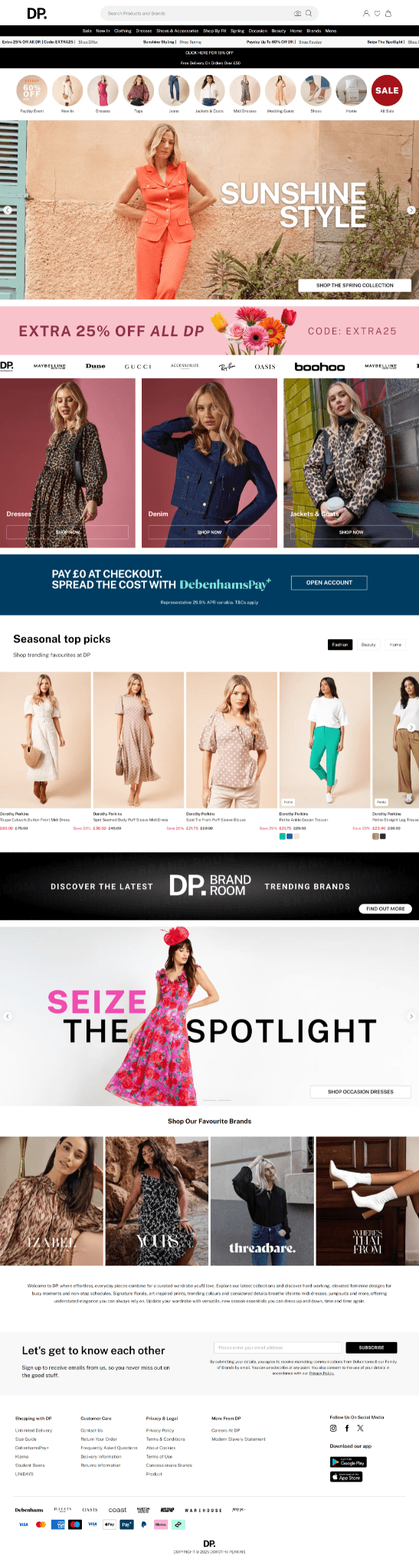
Shopify Store Design & Development case study Case Study UK: Measuring Success
DorothyPerkins.com had a website, but it was hard for customers to find products quickly. Pages were slow, and navigation was confusing at times.
HighOnRank worked on the website. They made categories clearer and pages load faster. Product images were better organised. They also made some SEO improvements to help people find the website.
After the website design, there was a significant increase in website traffic. Users spent more time looking at the products which increased the online orders and inquiries. Customers were able to find the site more easily and they also found the site more reliable.
DorothyPerkins.com gained improvement for both how it looked and how it functioned. HighOnRank emphasized basic and practical differences.
Conclusion
Incorporating trends of UK website design for 2026 is about practical things that improve trust and brand perception. Accessible fast loading simple design is also mobile first approach.
Being up to date is design is essential for UK businesses for better website engagement without needing to redesign site each year
Contact Us
The first step to transform your online identity starts here. Get in touch with us to discuss your project ideas and how our website design services can help grow your business.
Get Your Free Consultation
Why Partner With Us?
- Expertise: Specialized knowledge in WordPress and Shopify platforms
- Results-Focused: Designs that convert visitors into customers
- Comprehensive Service: From planning to post-launch support
- Proven Process: Structured methodology that delivers consistent results
- SEO Integration: Built-in optimization for better visibility
- Ongoing Support: Maintenance and updates to keep your site performing
- contact@highonrank.com
- +1 872-278-3586
- +91-9654-078140
- Click Here to Connect on WhatsApp